

For Admissions Teams
Wake up to qualified leads, not an overflowing inbox.
EduSight handles the first conversation with every prospect by capturing, qualifying, and enriching them, so your team starts each day with a prioritized list of students worth calling.
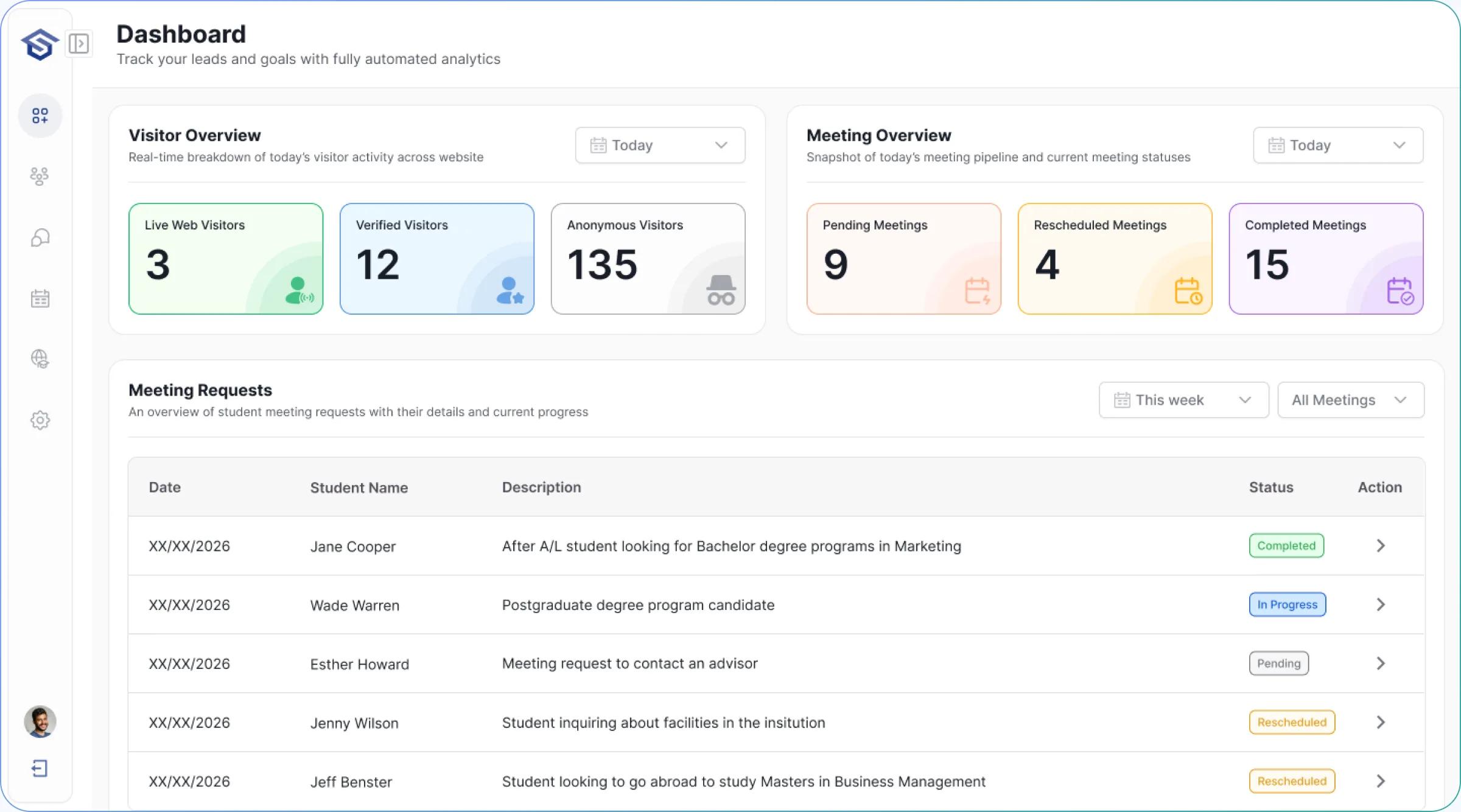
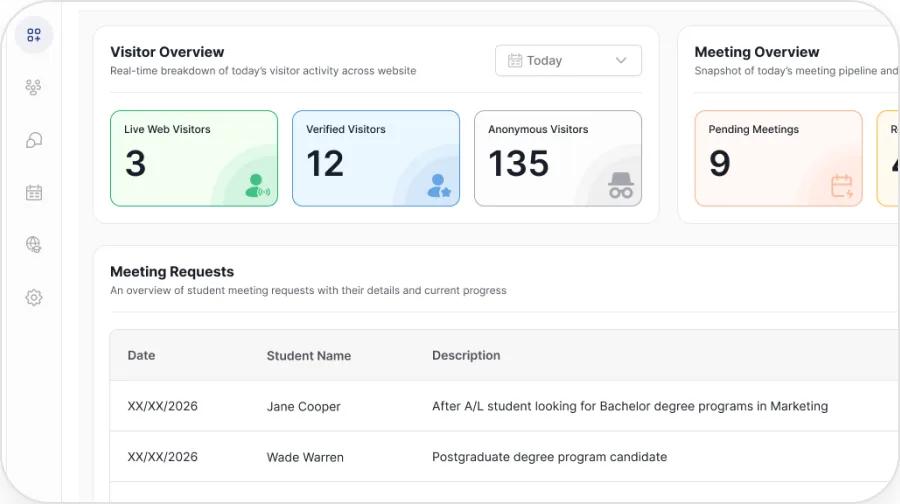
Admin Dashboard
Everything that matters, one click away.
The dashboard is built around the three jobs an enrolment leader actually does each day; work the inbox, watch the funnel, and set it and forget it.
What the Dashboard Does
Built around how your day actually runs.
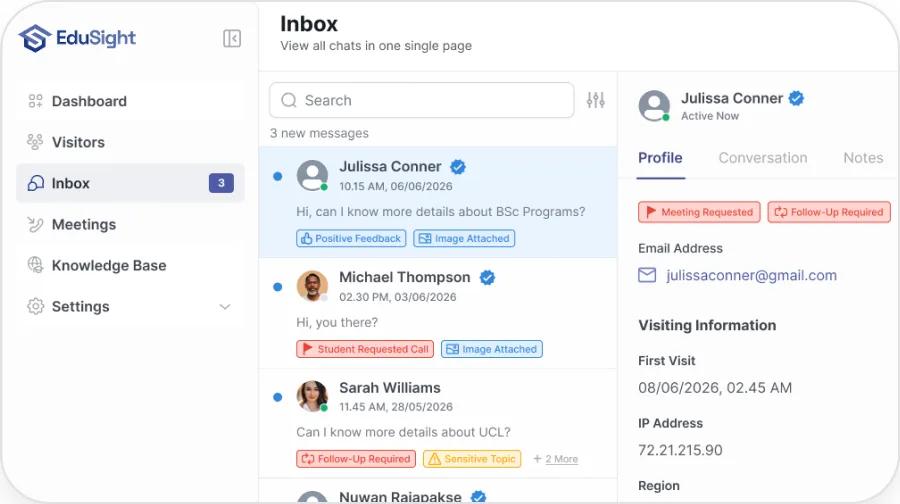
A prioritized queue, not a pile.
Leads are scored by intent and stage, with the newest high-value prospects surfaced first. No more scrolling a chronological inbox hoping the hot lead is near the top, EduSight puts the student most likely to enrol at the top of your list.
- Intent-score chips: Hot, Warm, Cool
- Filter by program, stage, source or channel
- One-click open of the full transcript
See conversion at every stage, live.
Live inquiry volume, qualified-lead counts, and conversion at each funnel stage from first hello to enrolled. Spot the leak the moment it opens instead of in a quarterly report.
- Inquiry → Qualification → Application → Offer → Enrollment
- Drop-off flagged stage by stage
- Channel & language breakdowns
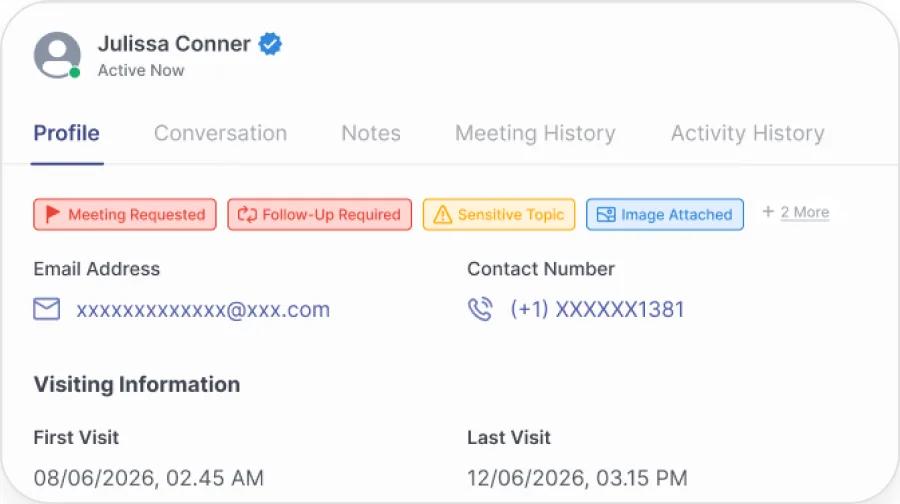
Full context on every prospect.
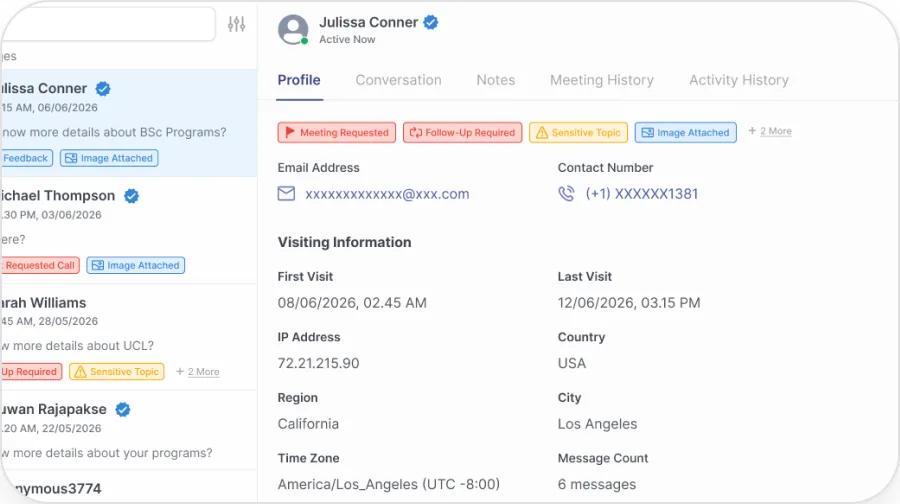
Conversation history, program interest, source, and recommended next action; all captured and synced to your CRM automatically. When your advisor picks up the phone, they already know the student.
- Auto-captured: contact, program, location, stage, intent
- Recommended next action on every record
- Bidirectional sync. No copy-paste
Hand-offs that don't drop the ball.
When EduSight escalates, your staff get the whole thread, no student repeats themselves, no advisor starts cold. You decide which topics always route to a person.
- Full transcript attached on every escalation
- Route by team, topic, program or language
- After-hours flagging with reply windows
See what EduSight could capture from your existing traffic
Book a 20-minute demo. Bring a question your applicants actually ask, and watch EduSight answer it in your voice, in their language, with the next step built in.
Book a demo